
Disclosure: this guide is written by the FEMUEY team, and we make some of the boards below. Specs for other brands come from each maker’s official product page, checked on 10 October 2026; where a maker does not publish something, we say so. Prices change often, so check the store before you buy.
The short answer
Pick one opening as White and one reply to each of 1.e4 and 1.d4 as Black. Learn the ideas behind the first eight to ten moves, then play real games from those positions and check afterwards where you left your preparation. A physical board makes this stick: you see the position the same way you will see it across a real table.
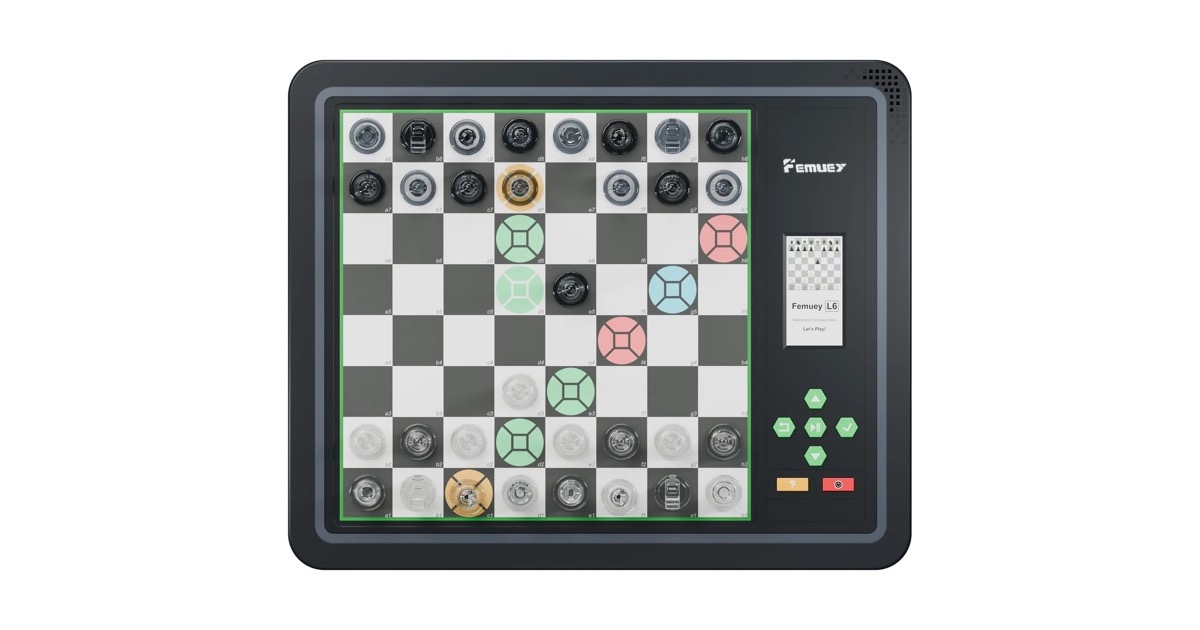
An electronic board speeds the routine up. On FEMUEY L6 Pro, for example, the opening mode lets you practise more than 3,000 openings once the board is online, and its 2300 Elo engine on the board plays out the middlegame with you afterwards, with or without Wi-Fi.
Why practise on a real board?
- It is how you play over the board. Club and school games are played on physical sets. Seeing the position in three dimensions, from your own side of the table, is a skill of its own.
- Fewer distractions. No notifications, no other tabs. You and the position.
- Moving the pieces helps memory. Many players find that a line they have played out with their hands is easier to recall than one they clicked through.
What should a beginner pick?
Choose openings that teach good habits: develop your pieces, fight for the centre and castle early. Some common choices:
- As White: the Italian Game (1.e4 e5 2.Nf3 Nc6 3.Bc4) or the London System (1.d4 followed by Bf4, e3 and Nf3).
- As Black against 1.e4: 1…e5, which leads to open, classical positions, or the Caro-Kann (1…c6) for something more solid.
- As Black against 1.d4: 1…d5, keeping a pawn in the centre.
One opening for each situation is plenty at first. Widen your repertoire once these feel natural.
A 20-minute practice routine
- Play the main line (5 minutes). Set up the board and play through your opening several times, saying out loud why each move is played.
- Try the side lines (5 minutes). What if your opponent plays something different on move three or four? Find one sensible answer for each common deviation.
- Play it out (10 minutes). Start a game against the computer from your opening and keep going into the middlegame. This is where you learn what the opening is for.
- Review. Afterwards, find the first move where you were unsure. That is what to study next time.
How an electronic board helps
With a normal set you need a book or a screen beside you to check the moves. An electronic board puts the opponent and the feedback on the board itself. On FEMUEY L6 Pro:
- Opening practice: once the board is connected to Wi-Fi, the opening mode offers more than 3,000 openings to practise.
- A sparring partner on the board: the 2300 Elo engine runs on the board, so you can play out your opening into the middlegame even without Wi-Fi or a phone.
- Room to experiment: move hints, takebacks and game replay let you try another idea at the moment you were unsure.
- Review afterwards: sync your games to the app for replay and review.
On the screen-free FEMUEY P6 there is no opening library, but you can still play your opening against its 1800 Elo engine in training mode and use takebacks to explore alternatives. For more opening study on your phone, the app covers openings alongside tactical puzzles, structured lessons and game review.
Other boards with opening study
Chessnut Evo ($629.99) has Chessable built into its 12.3-inch screen, which is a good choice if you already study openings with Chessable courses. App-connected boards such as Chessnut Air or GoChess Mini work with whatever opening tools your phone app offers. See our comparison page for the full picture.
FAQ
How many openings should a beginner learn?
One as White and one reply each to 1.e4 and 1.d4 as Black. Learn the ideas, not just the moves, and add more once those feel comfortable.
Does FEMUEY L6 Pro need Wi-Fi for opening practice?
The opening mode with more than 3,000 openings is available once the board is online. Playing against the 2300 Elo engine, puzzles and endgame practice all work offline.
Can I practise openings on FEMUEY P6?
P6 does not have an opening library. You can play your opening against its engine in training mode and use takebacks to try different moves.
Is it better to learn openings on an app or a real board?
Both help. An app is quick for reviewing lines; a real board trains you to recognise positions the way you will meet them in over-the-board games.
What warranty and returns come with FEMUEY boards?
Every FEMUEY board has a 1-year warranty. Hardware can be returned within 15 days of delivery, and in-stock orders ship worldwide within 72 hours of payment. See the FAQ for details.
Last updated: October 2026.
No comments yet
Be the first to share your insight